
Cloud Video Editor vs Desktop Video Editor: Which Is Better for You?
Choose a cloud editor for rapid access, collaboration, scalable processing, and lower workstation dependence; choose desktop editing for deep local control, d
Choose a cloud editor for rapid access, collaboration, scalable processing, and lower workstation dependence; choose desktop editing for deep local control, demanding codecs, specialized hardware, offline work, and mature finishing. Many long-form teams need a hybrid rather than an absolute winner.
The buying or workflow question is not “Can AI make an edit?” A useful system must help a team produce a correct, rights-cleared, audience-appropriate deliverable with less total effort and an understandable review trail. This guide follows the full path from source intake to published outcome.
Define the Decision in Operational Terms
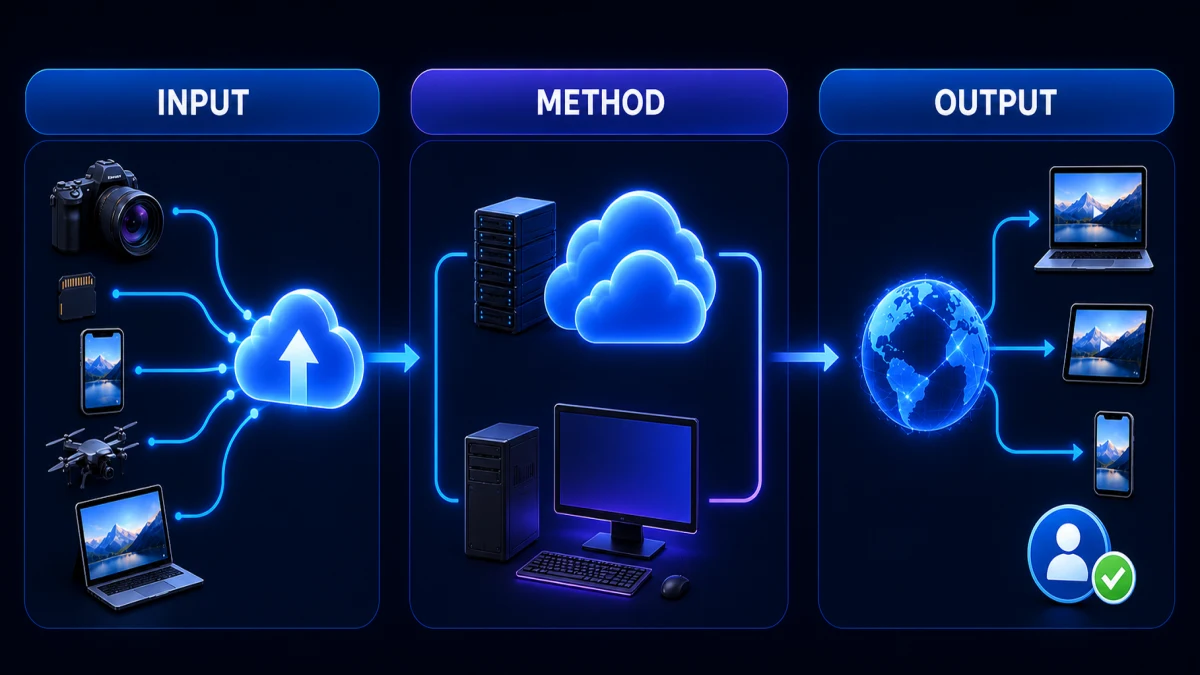
Before comparing tools or automating a workflow, write down:
- Measure source sizes, codecs, upload bandwidth, proxy time, render demands, and collaborator locations.
- Classify data sensitivity, retention, residency, and client security obligations.
- List required integrations, plugins, color, audio, caption, review, and archive workflows.
Also define the unit of success. Depending on the team, it may be one approved Short, one localized campaign package, one match recap, or one long-form episode delivered with editable assets. Generated candidates are inventory, not completed value.
Use a Weighted Scorecard
| Dimension | What to test | Evidence |
|---|---|---|
| Source handling | Real durations, codecs, channels, languages, and upload conditions | Successful ingest plus stable timecode |
| Editorial quality | Context, causality, identity, channel fit, and useful selection | Blind human scoring against source |
| Mechanical quality | Captions, crop, audio, graphics, format, and naming | Correction count and final-file QA |
| Collaboration | Roles, comments, versions, approvals, and external review | One complete review cycle |
| Governance | Rights, privacy, retention, security, auditability | Documented controls and owner |
| Interoperability | Editable export, relink, captions, metadata, and archive | Successful handoff to the next system |
| Economics | Labor, seats, compute, storage, transfer, support, and errors | Cost per approved deliverable |
| Outcome | Publish speed, completion, conversion, trust, or reuse | Channel and business metrics |
Weight the scorecard before the pilot. Otherwise, a striking demo feature can silently become more important than a non-negotiable requirement.
Full Workflow
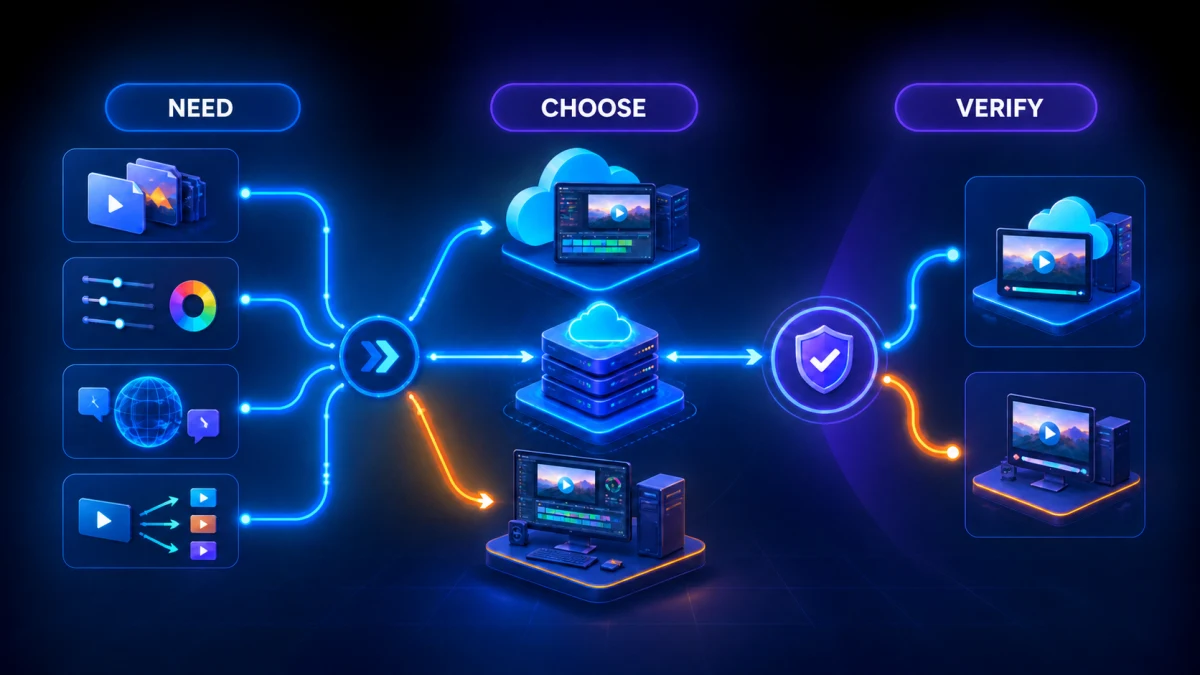
1. Define the workload, not the category
Separate rough cutting, transcript editing, clip generation, localization, finishing, and archive because each may favor a different environment.
Define the evidence that closes this stage before the operator starts. Preserve source timecode and version, record exceptions, and route any claim, rights, identity, or safety uncertainty to the responsible human. A fast first pass is useful only when the next reviewer can understand why the candidate exists and how it was produced.
2. Benchmark end-to-end elapsed time
Include ingest, upload, proxy creation, analysis, review, revisions, render, download, and handoff—not only export speed.
Define the evidence that closes this stage before the operator starts. Preserve source timecode and version, record exceptions, and route any claim, rights, identity, or safety uncertainty to the responsible human. A fast first pass is useful only when the next reviewer can understand why the candidate exists and how it was produced.
3. Map collaboration behavior
Count simultaneous editors, reviewers, external clients, version conflicts, comments, and remote access needs.
Define the evidence that closes this stage before the operator starts. Preserve source timecode and version, record exceptions, and route any claim, rights, identity, or safety uncertainty to the responsible human. A fast first pass is useful only when the next reviewer can understand why the candidate exists and how it was produced.
4. Evaluate media and feature depth
Test real camera formats, long timelines, multicam, color, audio routing, graphics, captions, and required plugins.
Define the evidence that closes this stage before the operator starts. Preserve source timecode and version, record exceptions, and route any claim, rights, identity, or safety uncertainty to the responsible human. A fast first pass is useful only when the next reviewer can understand why the candidate exists and how it was produced.
5. Audit security and resilience
Review encryption, access control, data location, retention, audit logs, backups, offline fallback, and vendor outage plans.
Define the evidence that closes this stage before the operator starts. Preserve source timecode and version, record exceptions, and route any claim, rights, identity, or safety uncertainty to the responsible human. A fast first pass is useful only when the next reviewer can understand why the candidate exists and how it was produced.
6. Model total cost
Include workstations, storage, egress, seats, compute, support, IT, training, idle render time, and failure recovery.
Define the evidence that closes this stage before the operator starts. Preserve source timecode and version, record exceptions, and route any claim, rights, identity, or safety uncertainty to the responsible human. A fast first pass is useful only when the next reviewer can understand why the candidate exists and how it was produced.
7. Run a representative pilot
Use one normal job and one worst-case job. Keep acceptance criteria identical across cloud and desktop.
Define the evidence that closes this stage before the operator starts. Preserve source timecode and version, record exceptions, and route any claim, rights, identity, or safety uncertainty to the responsible human. A fast first pass is useful only when the next reviewer can understand why the candidate exists and how it was produced.
8. Design the handoff boundary
If hybrid wins, define which files, metadata, timecodes, proxies, and decisions move between systems and who owns conform.
Define the evidence that closes this stage before the operator starts. Preserve source timecode and version, record exceptions, and route any claim, rights, identity, or safety uncertainty to the responsible human. A fast first pass is useful only when the next reviewer can understand why the candidate exists and how it was produced.
Worked Example
A distributed marketing team creates many social clips from 90-minute webinars but finishes one premium launch film each quarter. Cloud processing and review reduce social turnaround, while the launch film still needs desktop color, audio, and graphics. The team adopts a hybrid: cloud for transcript search and candidates, desktop for conform and finishing.
The example shows why end-to-end elapsed time and correction rate matter more than generation speed. The most expensive failure may appear after the tool has technically completed its task: a wrong claim, missing setup, rights conflict, hidden crop, broken handoff, or version published to the wrong channel.
Build Human Review Around Risk
Not every output needs the same number of reviewers. Route work by risk.
- Low risk: format changes based on an already approved master, with no new claims or language.
- Moderate risk: new hook, clip boundary, crop, caption, or channel adaptation.
- High risk: regulated claims, customer testimony, minors, private data, unreleased material, new language, synthetic voice, or narrative reordering.
- Critical: uncertain rights, changed meaning, false attribution, safety instructions, or unsupported factual claims.
Automation can run the checks it performs reliably: missing fields, duration, aspect ratio, caption presence, naming, checksum, or destination package. Humans should own source meaning, narrative truth, voice, rights interpretation, exception handling, and final release.
Measure the Workflow, Not the Demo
Capture these measurements for every pilot job:
- source preparation time;
- upload or ingest time;
- automated processing time;
- operator prompting and search time;
- candidates reviewed;
- acceptance rate;
- context or factual corrections;
- caption, crop, audio, and graphics corrections;
- specialist review time;
- render, transfer, and upload time;
- failed or repeated exports;
- total time to approval; and
- outcome after publication.
Use the median for routine jobs and retain the worst case. Averages can hide one long source that blocks a release day.
Internal Workflows That Complete the Decision
Start by compare AI and traditional editing responsibility. Use that workflow where its decision becomes the next real constraint; do not add a tool merely because it is available.
Then model manual and AI editing costs. Use that workflow where its decision becomes the next real constraint; do not add a tool merely because it is available.
Then design a scalable MCN operating system. Use that workflow where its decision becomes the next real constraint; do not add a tool merely because it is available.
Then apply a complete AI editor buying checklist. This final handoff turns the local decision into a repeatable operating standard.
These connections should be contextual. A sports desk, drama marketer, gaming creator, and MCN may share infrastructure, but their editorial signals and release risks are not interchangeable.
How Recapo Fits
Recapo’s current AI video workflow tool can support candidate generation or production steps in this process. Use a representative source, preserve the original and transcript, and keep every accepted result tied to source timecode. Review current product behavior during the pilot rather than relying on a static feature checklist.
Automation remains a candidate generator until a responsible reviewer approves:
- source fidelity and complete context;
- names, numbers, terminology, and attribution;
- creator, character, player, or speaker identity;
- visual crop and evidence;
- captions and audio;
- rights, privacy, and disclosure;
- platform package and CTA; and
- the final encoded output.
Common Failure Modes
Comparing subscription price with workstation price while ignoring labor and transfer time.
This fails because it measures a visible activity rather than a publish-ready outcome. Correct it by returning to the source, isolating the failed assumption, and testing one representative job under the same acceptance criteria used for release.
Testing a short H.264 clip instead of real long-form camera media.
This fails because it measures a visible activity rather than a publish-ready outcome. Correct it by returning to the source, isolating the failed assumption, and testing one representative job under the same acceptance criteria used for release.
Assuming cloud automatically means collaboration is governed.
This fails because it measures a visible activity rather than a publish-ready outcome. Correct it by returning to the source, isolating the failed assumption, and testing one representative job under the same acceptance criteria used for release.
Ignoring egress, archive, and outage recovery.
This fails because it measures a visible activity rather than a publish-ready outcome. Correct it by returning to the source, isolating the failed assumption, and testing one representative job under the same acceptance criteria used for release.
Creating a hybrid workflow without a source-of-truth rule.
This fails because it measures a visible activity rather than a publish-ready outcome. Correct it by returning to the source, isolating the failed assumption, and testing one representative job under the same acceptance criteria used for release.
Pilot Design
Run at least three jobs:
Normal job
Use the most common source and deliverable. This reveals day-to-day speed and usability.
Stress job
Use long duration, noisy or multichannel audio, several speakers, visual text, subtle context, multiple outputs, or a difficult codec. This reveals queue, quality, and handoff limits.
Exception job
Use a rights restriction, late source change, missing transcript, unusual language, urgent deadline, or failed export. This reveals whether the operating model can recover.
Freeze the acceptance criteria and reviewer group. Compare outputs blind where possible. Do not let one vendor receive more source context or manual cleanup than another.
Implementation After the Pilot
If the pilot passes, roll out in controlled steps:
- publish the intake contract and ownership map;
- approve prompts, templates, glossaries, and naming;
- set role permissions and retention;
- train operators on failures, not only the happy path;
- integrate source and approval records;
- set weekly quality and cost review;
- maintain an exception queue;
- re-test after material product or platform changes; and
- preserve a manual or alternate-path fallback.
Do not scale candidate volume before review capacity. A queue of unreviewed “almost finished” clips is work in progress, not productivity.
Final Checklist
Before choosing the tool or releasing the workflow, confirm:
- real representative long-form files were tested;
- the source, transcript, and rights record remain linked;
- every candidate retains verifiable timecode;
- context and identity were reviewed;
- captions, audio, crop, and graphics pass on the destination;
- roles and approvals are explicit;
- security, retention, and deletion meet requirements;
- editable handoff and archive were proven;
- correction labor is included in cost;
- normal, stress, and exception jobs were tested;
- total time to approved output improved; and
- the measured audience or business outcome matches the original goal.
Frequently Asked Questions
Is the tool with the most features the safest choice?
No. A smaller system that performs the highest-volume tasks reliably and hands off cleanly can create more value than a broad system with high correction cost.
Should automation replace the editor?
Treat automation as task allocation. It can remove search and mechanical labor while editors and producers spend more time on meaning, narrative, performance, exceptions, and release accountability.
How long should a pilot run?
Long enough to cover normal, stress, and exception jobs plus at least one full approval cycle. A fixed number of representative outputs is more useful than an arbitrary calendar period.
What metric matters most?
Cost and elapsed time per approved deliverable are strong operational metrics. Pair them with correction rate and the audience or business outcome; otherwise, a faster pipeline can simply publish weaker work.
Can one workflow serve every channel?
Share source governance, lineage, technical checks, and reusable assets. Keep editorial promise, hook, format, language, CTA, and risk review configurable by channel.
Conclusion
Choose a cloud editor for rapid access, collaboration, scalable processing, and lower workstation dependence; choose desktop editing for deep local control, demanding codecs, specialized hardware, offline work, and mature finishing. Many long-form teams need a hybrid rather than an absolute winner.
A durable decision comes from a weighted scorecard, representative files, blind quality review, complete cost accounting, and an exit path. Optimize the system that delivers trusted outputs—not the screen that generates the most candidates.
References
- Recapo production tool, accessed August 26, 2026.
- Internal workflow references linked above, prepared for this Recapo editorial batch.